
The best bike computer for most riders is the Garmin Edge 840, which pairs detailed navigation with flexible touchscreen and button controls. The Wahoo ELEMNT ROAM V3 is a strong choice for riders who want a larger display for route guidance, while the iGPSPORT BSC200S offers a simpler entry into GPS navigation. The main tradeoffs are screen size, mapping and training depth, ease of use, and whether you need GPS at all. Basic wireless computers can handle speed and distance without the setup or feature load of a full GPS unit. Read on for the full breakdown of all 15 options and how to choose the right one for your rides.

Get sports gear delivered free — and shop member deals
- Fast, free delivery on millions of items
- Access to Prime Big Deal Days deals on October 6–7
- Prime Video, Amazon Music and more included
Complete the kit


Key Takeaways
- The Garmin Edge 840 is the most balanced pick: its combination of navigation, training tools, and both touchscreen and button controls suits a wider range of rides than a specialist-focused model.
- Screen size changes the ride experience: the Wahoo ELEMNT ROAM V3 and Garmin Edge 1050 favor riders who value a roomier view, while compact computers suit riders who prefer a smaller cockpit setup.
- Not every rider needs full mapping: the iGPSPORT BSC200S and less expensive GPS-oriented options target route guidance without the extensive feature sets of Garmin’s higher-end units.
- Simple computers remain a sensible choice: the CatEye Padrone and CatEye Urban focus on basic ride data, avoiding the navigation, charging, and setup demands of GPS models.
- Brand and interface matter alongside specifications: Garmin, Wahoo, iGPSPORT, and simpler wireless models differ in how much setup, screen interaction, and training detail they ask of the rider.
| iGPSPORT BSC500 GPS Bike Computer with 3.3-Inch Touchscreen and Voice Navigation |  | Best for Voice-Guided Navigation | Display: 3.3-inch touchscreen | Controls: Touchscreen and buttons | Positioning: Dual-band L1/L5; GPS, BeiDou, GLONASS, Galileo, QZSS | VIEW LATEST PRICE | See Our Full Breakdown |
| iGPSPORT BSC200S GPS Bike Computer with Route Navigation |  | Best Value for Long-Ride Basics | Display: 2.4-inch color screen, 320 × 240 resolution | Dimensions: 82 × 53 × 14.1 mm | Weight: 67 g | VIEW LATEST PRICE | See Our Full Breakdown |
| Garmin Edge 540 GPS Cycling Computer |  | Best for Button-Controlled Training | Screen: 2.6-inch LCD, 246 × 322 resolution | Controls: Buttons | Battery life: Up to 26 hours; up to 42 hours in battery-saver mode | VIEW LATEST PRICE | See Our Full Breakdown |
| iGPSPORT BSC300T Wireless GPS Bike Computer with Touchscreen and Offline Maps |  | Best for Offline Mapping on a Compact Screen | Screen: 2.4-inch capacitive touchscreen | Dimensions: 82 × 53 × 14.1 mm | Weight: 67 g | VIEW LATEST PRICE | See Our Full Breakdown |
| Garmin Edge 840 GPS Cycling Computer |  | Best Premium Compact All-Rounder | Screen: 2.6-inch LCD, 240 × 320 resolution | Controls: Capacitive touchscreen and buttons | Battery life: Up to 26 hours; up to 32 hours in battery-saver mode | VIEW LATEST PRICE | See Our Full Breakdown |
| Garmin Edge 1050 Premium Cycling Computer |  | Best Premium | Screen: 3.5-inch capacitive LCD touchscreen | Battery life: Up to 20 hours in demanding use; up to 60 hours in battery saver mode | Storage: 64 GB | VIEW LATEST PRICE | See Our Full Breakdown |
| Wahoo ELEMNT ROAM V3 GPS Cycling Computer, Black |  | Best for Long Rides | Display: 2.8-inch color LCD touchscreen | Battery life: Up to 25 hours | Satellite systems: GPS, GLONASS, BeiDou, Galileo, QZSS, SBAS, NavIC | VIEW LATEST PRICE | See Our Full Breakdown |
| Wahoo ELEMNT BOLT V3 GPS Bike Computer, Black |  | Best Compact Navigation Pick | Display: 2.3-inch LCD with 64 colors | Memory: 16 GB | Battery life: Listed as up to 15 hours in the description and up to 20 hours in product information | VIEW LATEST PRICE | See Our Full Breakdown |
| Garmin Edge 850 Compact GPS Cycling Computer |  | Best Compact Garmin | Screen: 2.7-inch color LCD | Controls: Touchscreen and buttons | Battery life: Up to 12 hours in demanding use; up to 36 hours in battery saver mode | VIEW LATEST PRICE | See Our Full Breakdown |
| COOSPO CS600 Color Touchscreen GPS Bike Computer |  | Best Long-Battery Value | Display: 2.4-inch color touchscreen | Battery life: Up to 36 hours | Water resistance: IPX7 | VIEW LATEST PRICE | See Our Full Breakdown |
| BKVTOP Wireless GPS Bike Computer, 2.4-Inch Screen, IPX7, 28-Hour Runtime |  | Best for Simple GPS Tracking | Display: 2.4-inch LCD | Weight: 50 g | Battery runtime: Up to 28 hours | VIEW LATEST PRICE | See Our Full Breakdown |
| iGPSPORT BSC100S Wireless GPS Bike Computer |  | Best Value for Sensor Compatibility | Display: 2.6-inch anti-glare LCD | Battery life: Up to 40 hours | Positioning: Five satellite systems | VIEW LATEST PRICE | See Our Full Breakdown |
| CYCPLUS G1 Wireless GPS Bike Computer | 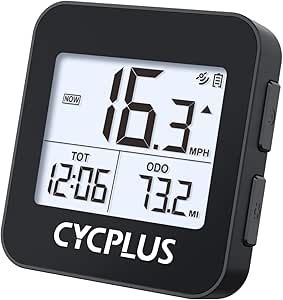 | Best for Long Battery Life | Display: 2-inch FSTN LED with automatic backlight and tempered glass | Battery capacity: 1200 mAh | Battery life: More than 55 hours | VIEW LATEST PRICE | See Our Full Breakdown |
| CATEYE Padrone Wireless Bike Computer |  | Best for a Large, Simple Display | Display: 5.5 cm LCD | Sensor type: Analog wireless | Wireless transmission range: 70 cm | VIEW LATEST PRICE | See Our Full Breakdown |
| CatEye Urban Wireless Bike Computer |  | Best for Everyday Ride Stats | Connectivity: Wireless | Displayed data: Current, maximum, and average speed; total and trip distance; elapsed time; calorie consumption; pace arrow; clock | Auto stop: Stops counting time and averaging speed when stationary | VIEW LATEST PRICE | See Our Full Breakdown |
| bike computer | Battery life | Connectivity | Weight | Display |
|---|---|---|---|---|
| iGPSPORT BSC500 GPS Bike Compu | — | — | 107 g | 3.3-inch touchscreen |
| iGPSPORT BSC200S GPS Bike Comp | Up to 25 hours | Bluetooth, ANT+, USB | 67 g | 2.4-inch color screen, 320 × 240 resolution |
| Garmin Edge 540 GPS Cycling Co | Up to 26 hours; up to 42 hours in battery-saver mode | Bluetooth, Wi-Fi, USB | — | — |
| iGPSPORT BSC300T Wireless GPS | Up to 20 hours | ANT+, Bluetooth 5.0, USB Type-C | 67 g | — |
| Garmin Edge 840 GPS Cycling Co | Up to 26 hours; up to 32 hours in battery-saver mode | Bluetooth, Wi-Fi, USB | — | — |
| Garmin Edge 1050 Premium Cycli | Up to 20 hours in demanding use; up to 60 hours in battery saver mode | Bluetooth, USB, Wi-Fi | — | — |
| Wahoo ELEMNT ROAM V3 GPS Cycli | Up to 25 hours | Bluetooth, USB, Wi-Fi | 109 g | 2.8-inch color LCD touchscreen |
| Wahoo ELEMNT BOLT V3 GPS Bike | Listed as up to 15 hours in the description and up to 20 hours in product information | Bluetooth, ANT+, Wi-Fi, USB-C | 84 g | 2.3-inch LCD with 64 colors |
| Garmin Edge 850 Compact GPS Cy | Up to 12 hours in demanding use; up to 36 hours in battery saver mode | Bluetooth, USB, Wi-Fi | — | — |
| COOSPO CS600 Color Touchscreen | Up to 36 hours | Bluetooth, ANT+ | 120 g | 2.4-inch color touchscreen |
| BKVTOP Wireless GPS Bike Compu | — | No app connection or external sensor support | 50 g | 2.4-inch LCD |
| iGPSPORT BSC100S Wireless GPS | Up to 40 hours | Bluetooth 5.0 and ANT+ | 67 g in specifications; 120 g in product information | 2.6-inch anti-glare LCD |
| CYCPLUS G1 Wireless GPS Bike C | More than 55 hours | — | 70 g | 2-inch FSTN LED with automatic backlight and tempered glass |
| CATEYE Padrone Wireless Bike C | Approximately 1 year | — | 1.12 oz | 5.5 cm LCD |
| CatEye Urban Wireless Bike Com | — | Wireless | — | — |
More Details on Our Top Picks
iGPSPORT BSC500 GPS Bike Computer with 3.3-Inch Touchscreen and Voice Navigation
The BSC500 is the navigation-first choice here: its 3.3-inch touchscreen gives route cues and up to 12 data fields more room than the 2.4-inch displays on the iGPSPORT BSC300T and BSC200S. Voice turn alerts and automatic rerouting can help riders keep their eyes on the road when a turn is missed, while hill previews and ride resumption add useful context to longer outings. Dual-band, five-satellite positioning supports route tracking across several systems.
That larger interface comes with less certainty about endurance: battery life is not specified, unlike the BSC200S’s stated 25 hours. The BSC500 also lists no included cadence sensor, so riders building a training setup may need to add compatible equipment. I’d choose it over the Garmin Edge 540 when touch input and voice prompts matter more than Garmin’s specified battery and training ecosystem.
Pros:- Large 3.3-inch touchscreen with button controls
- Voice turn alerts and automatic rerouting support route-following
- Dual-band positioning across five satellite systems
- Displays up to 12 data points per page and includes training analysis
Cons:- Battery life is not provided, making endurance planning difficult
- No cadence sensor inclusion is specified
- Larger screen may matter less to riders who prioritize a compact unit
Best for: Riders who follow imported routes and want a large screen, voice turn prompts, and rerouting without relying on a phone display.
Not ideal for: Riders planning long events who need a stated battery runtime, or buyers who want cadence-sensing hardware included.
- Display:3.3-inch touchscreen
- Controls:Touchscreen and buttons
- Positioning:Dual-band L1/L5; GPS, BeiDou, GLONASS, Galileo, QZSS
- Data points:Up to 12 per page
- Weight:107 g
- Water resistance:IPX7
- Battery:Lithium-ion; runtime not specified
Our verdict“Choose the BSC500 if clear, voice-guided route navigation matters more to you than a published battery-life figure.”
iGPSPORT BSC200S GPS Bike Computer with Route Navigation
The BSC200S makes a strong case for riders who want dependable route guidance and sensor support without moving to a more training-focused computer. Its up to 25-hour battery life is a useful advantage over the BSC300T’s stated 20 hours, and its 67 g body keeps the handlebar setup light. The 2.4-inch color screen, six buttons, and sunlight readability suit riders who prefer straightforward controls to the BSC500’s larger touchscreen.
It supports Bluetooth and ANT+ sensors, including speed, cadence, heart rate, and power, plus compatible lights. However, some navigation and notification features depend on the iGPSPORT app, so it is less self-contained than the Garmin Edge 540’s established mapping and training feature set. A USB-C cable is also not included. I’d pick this for practical route-following and sensor connectivity, not advanced coaching.
Pros:- Up to 25 hours of stated battery life
- Connects with Bluetooth and ANT+ speed, cadence, heart rate, and power sensors
- Route creation and back-to-start guidance
- Light 67 g design with a sunlight-readable color screen
Cons:- Some navigation and notification features require the iGPSPORT app
- USB Type-C charging cable is not included
- Smaller 2.4-inch screen offers less viewing area than the BSC500
Best for: Recreational and endurance riders who want long battery runtime, route guidance, and compatibility with common ANT+ or Bluetooth sensors.
Not ideal for: Cyclists seeking advanced adaptive coaching or a navigation setup that relies less on a companion app.
- Display:2.4-inch color screen, 320 × 240 resolution
- Dimensions:82 × 53 × 14.1 mm
- Weight:67 g
- Battery life:Up to 25 hours
- Battery capacity:600 mAh
- Storage:Up to 400 hours of riding data
- Connectivity:Bluetooth, ANT+, USB
- Controls:6 buttons
Our verdict“Pick the BSC200S for long rides and broad sensor support if you can live with app-dependent features and supplying your own charging cable.”
Garmin Edge 540 GPS Cycling Computer
The Edge 540 earns its place for riders who want navigation and structured training insights in a button-controlled computer. Buttons are a practical alternative to touchscreens when conditions make tapping inconvenient, and multi-band GNSS supports accurate positioning. Garmin adds adaptive coaching, climb information, stamina insights, and ride-specific maps, giving this model a more training-oriented purpose than the iGPSPORT BSC200S.
Its up to 26 hours of battery life, or 42 hours in battery-saver mode, also makes endurance planning clearer than with the BSC500, whose runtime is not specified. The tradeoff is a smaller 2.6-inch display and no touchscreen, while some coaching and performance features need a compatible power meter and heart rate monitor. Compared with the Edge 840, the 540 gives up touch input and half the listed storage, but keeps the core Garmin training approach.
Pros:- Button controls remain usable when touchscreen input is inconvenient
- Multi-band GNSS and ride-specific maps support route navigation
- Adaptive coaching, climb information, and stamina insights
- Up to 26 hours of battery life, with up to 42 hours in battery-saver mode
Cons:- No touchscreen, unlike the Garmin Edge 840
- Some training features require a compatible power meter and heart rate monitor
- 16 GB storage is less than the Edge 840’s 32 GB
Best for: Riders who prefer physical controls and want Garmin navigation and training guidance for regular, structured riding.
Not ideal for: Riders who want touchscreen interaction, or who expect every training insight to work without additional sensors.
- Screen:2.6-inch LCD, 246 × 322 resolution
- Controls:Buttons
- Battery life:Up to 26 hours; up to 42 hours in battery-saver mode
- Storage:16 GB
- Satellite navigation:GPS; multi-band GNSS
- Connectivity:Bluetooth, Wi-Fi, USB
- Map coverage:North America
Our verdict“Choose the Edge 540 if you want Garmin’s training tools and long battery options in a computer operated entirely by buttons.”
iGPSPORT BSC300T Wireless GPS Bike Computer with Touchscreen and Offline Maps
The BSC300T gives map-focused riders a compact way to follow routes without depending on a live phone connection. Its offline maps, turn prompts, and off-course warnings make it a clearer navigation choice than the BSC200S, which emphasizes route guidance and sensor support. The 2.4-inch touchscreen keeps the unit small at 67 g, while support for over 130 metrics and ANT+ and Bluetooth sensors leaves room for detailed ride tracking across road, mountain, and e-bike use.
The main compromise is endurance: its stated up to 20 hours falls short of the BSC200S’s 25 hours and the Garmin Edge 540’s 26. Its 8 GB of storage is also less than the Edge 540’s 16 GB, and the charging cable is not included. I’d favor this model when offline map guidance is the priority, rather than the larger BSC500’s screen or Garmin’s deeper training features.
Pros:- Offline maps with turn prompts and off-course warnings
- Tracks over 130 riding metrics
- Works with ANT+ and Bluetooth sensors
- Compact 67 g body supports road, mountain, and e-bike riding
Cons:- Up to 20 hours of battery life is shorter than the BSC200S and Garmin Edge 540
- Charging cable is not included
- 8 GB storage is less than the Edge 540’s 16 GB
Best for: Riders who want offline route maps and off-course alerts in a lightweight touchscreen computer for varied cycling disciplines.
Not ideal for: Riders taking especially long trips between charges, or buyers who want a charging cable included.
- Screen:2.4-inch capacitive touchscreen
- Dimensions:82 × 53 × 14.1 mm
- Weight:67 g
- Battery life:Up to 20 hours
- Storage:8 GB
- Connectivity:ANT+, Bluetooth 5.0, USB Type-C
- Satellite systems:GPS, BeiDou, GLONASS, Galileo, QZSS
- Charging cable:Not included
Our verdict“Choose the BSC300T if offline maps and route alerts matter more than maximum battery life or advanced training guidance.”
Garmin Edge 840 GPS Cycling Computer
The Edge 840 is the most flexible Garmin option in this group for riders who want both touch and physical input in a compact computer. Its touchscreen and buttons give it an interaction advantage over the button-only Edge 540, while multi-band GNSS, cycling maps, adaptive training guidance, and performance insights bring navigation and ride analysis together. The 32 GB of storage also doubles the Edge 540’s listed capacity, leaving more room for map data.
Battery life is rated at up to 26 hours in demanding use or 32 hours in battery-saver mode—less than the Edge 540’s 42-hour saver figure. Like the 540, some training features need a compatible power meter and heart rate monitor. The 2.6-inch screen is smaller than the iGPSPORT BSC500’s 3.3-inch display, so riders who value a larger map view may prefer that model. The 840 makes most sense for riders who want Garmin’s feature depth and dual control options.
Pros:- Touchscreen and buttons allow flexible operation
- Multi-band GNSS supports accurate navigation
- Adaptive training guidance and performance insights
- 32 GB storage and up to 32 hours in battery-saver mode
Cons:- Battery-saver runtime is shorter than the Edge 540’s stated 42 hours
- Some training features require a compatible power meter and heart rate monitor
- 2.6-inch screen is smaller than the iGPSPORT BSC500’s display
Best for: Regular riders who want a compact computer with touchscreen and button controls, detailed maps, and training guidance.
Not ideal for: Riders who prioritize the longest battery-saver runtime, a larger screen, or training insights without extra sensors.
- Screen:2.6-inch LCD, 240 × 320 resolution
- Controls:Capacitive touchscreen and buttons
- Battery life:Up to 26 hours; up to 32 hours in battery-saver mode
- Storage:32 GB
- Satellite navigation:Multi-band GNSS
- Connectivity:Bluetooth, Wi-Fi, USB
- Map region:North America
- Compatible devices:Android, iPhone
Our verdict“Choose the Edge 840 if you want Garmin’s broad navigation and training toolkit with both touchscreen and button control.”
Garmin Edge 1050 Premium Cycling Computer
The Edge 1050 is the premium pick for riders who want route planning and ride data on a large, vivid screen rather than a compact, button-first unit. Its 3.5-inch touchscreen makes maps and on-device course creation easier to read at a glance than on the smaller Edge 850 or Wahoo ELEMNT BOLT V3. A built-in speaker adds navigation prompts and a bike bell, while Garmin Pay and connected training tools extend its usefulness beyond basic tracking. The tradeoff is endurance: its stated runtime is up to 20 hours in demanding use, shorter than the ROAM V3’s 25 hours, though battery saver mode is rated up to 60 hours. Some connected functions need a smartphone, and personalized training needs compatible power and heart-rate sensors.
Pros:- Large 3.5-inch color touchscreen makes maps and course planning easier to view.
- On-device course creation and navigation prompts support route changes while riding.
- Built-in speaker and bike bell add useful on-bike audio functions.
- Battery saver mode is rated for up to 60 hours.
Cons:- Up to 20 hours in demanding use is less than the Wahoo ELEMNT ROAM V3’s stated 25 hours.
- Some connected features require a compatible smartphone and Garmin Connect app.
- Personalized training tools require compatible power and heart-rate sensors.
Best for: Riders who want a large, easy-to-read navigation display, on-device course planning, and Garmin’s connected training features.
Not ideal for: Riders prioritizing a smaller, lighter computer or long demanding rides without charging; the Edge 1050 is larger, and its demanding-use runtime trails the Wahoo ELEMNT ROAM V3.
- Screen:3.5-inch capacitive LCD touchscreen
- Battery life:Up to 20 hours in demanding use; up to 60 hours in battery saver mode
- Storage:64 GB
- Connectivity:Bluetooth, USB, Wi-Fi
- Satellite navigation:GPS, GLONASS, Galileo
- Audio:Built-in speaker
- Mounting:Handlebar mount
- Map region:North America
Our verdict“Choose the Edge 1050 if a large touchscreen and rich navigation matter more than compact size or maximum demanding-use battery life.”
Wahoo ELEMNT ROAM V3 GPS Cycling Computer, Black
The ELEMNT ROAM V3 suits riders who want a navigation-focused computer with more stated demanding-use endurance than the Garmin Edge 1050. Its up to 25-hour battery life gives it an advantage for extended rides, while a 2.8-inch color touchscreen keeps route details visible without the Edge 1050’s larger footprint. Turn-by-turn directions, imported routes, and on-demand route generation make it a flexible choice when rides change. Support for multiple satellite systems, including dual-band GPS, is intended to help maintain tracking in dense urban areas and under tree cover. The compromise is that its screen is smaller than the Garmin’s, and the supplied information does not clarify whether heart-rate or cadence sensors are included. I’d choose it over the BOLT V3 when runtime and a larger display matter more than minimizing weight.
Pros:- Up to 25 hours of stated battery life supports extended rides.
- Dual-band GPS and broad satellite-system support target reliable tracking in challenging environments.
- Turn-by-turn navigation supports imported routes and on-demand route generation.
- IPX7 water resistance and touchscreen-plus-button input suit varied riding conditions.
Cons:- At 109 g, it weighs more than the Wahoo ELEMNT BOLT V3 at 84 g.
- Its 2.8-inch display is smaller than the Garmin Edge 1050’s 3.5-inch screen.
- The product information does not clarify whether heart-rate and cadence sensors are included.
Best for: Long-distance road and gravel riders who need reliable route guidance and extended battery life in a mid-sized computer.
Not ideal for: Riders who want a compact, light unit or need a clearly specified included sensor bundle; the 109-gram ROAM V3 is heavier than the BOLT V3, and sensor inclusion is unclear.
- Display:2.8-inch color LCD touchscreen
- Battery life:Up to 25 hours
- Satellite systems:GPS, GLONASS, BeiDou, Galileo, QZSS, SBAS, NavIC
- Connectivity:Bluetooth, USB, Wi-Fi
- Input:Buttons and touchscreen
- Weight:109 g
- Water resistance:IPX7
- Mounting:Handlebar mount
Our verdict“Pick the ROAM V3 if you want extended runtime and broad navigation support without moving up to the Edge 1050’s larger screen.”
Wahoo ELEMNT BOLT V3 GPS Bike Computer, Black
The ELEMNT BOLT V3 puts navigation and connected ride data into a lighter, button-controlled package than the ROAM V3 or Garmin Edge 1050. At 84 g, it is the compact choice here, and its customizable data pages let riders prioritize the metrics they actually use. Turn-by-turn directions, route syncing, and on-device route generation provide practical guidance, while ANT+, Bluetooth, and Wi-Fi support a range of sensor and phone connections. Its 2.3-inch display is notably smaller than the ROAM V3’s 2.8-inch screen, so riders who rely on seeing more map detail at once may prefer the larger model. Battery life is also unclear in the supplied information, which lists both 15 and 20 hours. I’d favor it over the Edge 850 for a lighter setup, but not for a bigger screen or clearly stated endurance.
Pros:- At 84 g, it is lighter than the Wahoo ELEMNT ROAM V3.
- Turn-by-turn navigation, route syncing, and on-device route generation support changing ride plans.
- ANT+, Bluetooth, and Wi-Fi connect a broad range of sensors and devices.
- Customizable data pages and quick-look LED indicators help surface ride information.
Cons:- The 2.3-inch display offers less viewing area than the ROAM V3’s 2.8-inch screen.
- Battery life is listed inconsistently as up to 15 hours and up to 20 hours.
- Smart notifications and live tracking require a connected smartphone.
Best for: Riders seeking a lightweight, button-operated GPS computer with customizable data pages and broad sensor connectivity.
Not ideal for: Riders who need a larger map display or dependable published battery-life figure; its screen is smaller than the ROAM V3’s and listed runtime conflicts.
- Display:2.3-inch LCD with 64 colors
- Memory:16 GB
- Battery life:Listed as up to 15 hours in the description and up to 20 hours in product information
- Connectivity:Bluetooth, ANT+, Wi-Fi, USB-C
- Input:Buttons
- Weight:84 g
- Water resistance:IPX7
- Compatible sensors:Heart rate, cadence, and speed sensors
Our verdict“Choose the BOLT V3 for a lightweight, sensor-friendly setup, but opt for the ROAM V3 if a larger screen and clearer battery specification matter more.”
Garmin Edge 850 Compact GPS Cycling Computer
The Garmin Edge 850 brings touchscreen navigation and training tools to a smaller format than the Edge 1050. Its 2.7-inch color display is paired with physical buttons, so riders can choose between touch input and controls that do not depend on tapping the screen. Preloaded maps for road, gravel, and trail riding, multi-band GPS, and smart fueling alerts make it a versatile option for riders who train across different routes and surfaces. Compared with the Wahoo ELEMNT BOLT V3, the Edge 850 emphasizes Garmin’s built-in mapping and training features rather than the lightest possible setup. The tradeoff is battery: up to 12 hours in demanding use is less than the BOLT V3’s listed maximum of 15 or 20 hours, though the BOLT’s figures conflict. Smartphone-dependent connected features are another limitation.
Pros:- Touchscreen and physical buttons offer two ways to control the unit.
- Preloaded maps cover road, gravel, and trail riding.
- Multi-band GPS and automatic 5 Hz recording support detailed ride tracking.
- Smart fueling alerts, training features, a speaker, and a bike bell add ride guidance.
Cons:- Up to 12 hours in demanding use is less than the Wahoo ELEMNT ROAM V3’s stated 25 hours.
- Some connected features require a compatible smartphone and Garmin Connect app.
- The 2.7-inch screen is smaller than the Edge 1050’s 3.5-inch display.
Best for: Garmin users who want a compact computer with touchscreen and button controls, preloaded multi-surface maps, and training prompts.
Not ideal for: Riders on long rides who need high demanding-use endurance or those who want connected features without a smartphone; its demanding-use runtime is limited and some functions rely on Garmin Connect.
- Screen:2.7-inch color LCD
- Controls:Touchscreen and buttons
- Battery life:Up to 12 hours in demanding use; up to 36 hours in battery saver mode
- Connectivity:Bluetooth, USB, Wi-Fi
- Satellite systems:GPS, GLONASS, Galileo
- Operating system:Garmin OS
- Mounting:Handlebar mount
- Additional features:Preloaded maps, smart fueling alerts, built-in speaker and bike bell
Our verdict“Choose the Edge 850 for Garmin mapping and training in a compact touchscreen-and-button design, but look to the ROAM V3 for longer stated demanding-use battery life.”
COOSPO CS600 Color Touchscreen GPS Bike Computer
The COOSPO CS600 is the straightforward choice for riders who want a color touchscreen, route breadcrumbs, and long stated battery life without relying on a larger premium model’s training ecosystem. Its up to 36-hour runtime exceeds the demanding-use figures listed for the Garmin Edge 850 and Edge 1050, though the Garmin units offer broader stated mapping and training functions. GPS and GLONASS tracking support breadcrumb navigation, while Bluetooth and ANT+ allow connection to compatible sensors and apps such as COOSPORIDE, Strava, and TrainingPeaks. The 2.4-inch screen is smaller than the Edge 1050’s, and the supplied information describes breadcrumbs rather than the more extensive route-planning capabilities of the Garmin and Wahoo computers. Sensors and extension mounts are sold separately, so riders building a data-rich setup should account for those extra components.
Pros:- Up to 36 hours of stated battery life supports long rides between charges.
- Breadcrumb route navigation provides a basic visual guide along a planned route.
- Bluetooth and ANT+ support compatible sensors and devices.
- IPX7 water resistance helps it handle wet-weather rides.
Cons:- Additional sensors and extension mounts are sold separately.
- Some performance metrics require separately purchased compatible accessories.
- GPS and GLONASS support is less extensive than the satellite-system support listed for the Wahoo ELEMNT ROAM V3.
Best for: Riders who prioritize long battery life, basic breadcrumb navigation, and Bluetooth or ANT+ sensor compatibility over advanced built-in training tools.
Not ideal for: Riders who want extensive on-device route planning, preloaded multi-surface maps, or a ready-to-ride sensor bundle; accessories are separate and navigation is described as breadcrumb-based.
- Display:2.4-inch color touchscreen
- Battery life:Up to 36 hours
- Water resistance:IPX7
- Connectivity:Bluetooth, ANT+
- Satellite systems:GPS, GLONASS
- Weight:120 g
- Mounting:Handlebar mount
- Included components:CS600 computer, mounting base, USB Type-C cable, anti-lost rope, user manual
Our verdict“Choose the CS600 if long battery life and basic route guidance matter more than advanced mapping or included sensors.”
BKVTOP Wireless GPS Bike Computer, 2.4-Inch Screen, IPX7, 28-Hour Runtime
The BKVTOP is a straightforward choice for riders who want GPS-recorded speed, distance, and elevation without adding a wheel sensor or spoke magnet. Its 2.4-inch LCD is larger than the CYCPLUS G1’s 2-inch screen, and automatic backlighting helps keep the display readable as light changes. At up to 28 hours of runtime, it can cover several rides between charges, though the iGPSPORT BSC100S lasts up to 40 hours and adds Bluetooth and ANT+ sensor support. That difference matters if you want heart-rate, cadence, or app data: the BKVTOP supports neither app connections nor external sensors. It also lacks the richer training ecosystem of the Garmin Edge models elsewhere in this roundup. Pick it for core GPS ride data and a light, weather-resistant unit; skip it if you want synced ride records or sensor upgrades.
Pros:- Built-in GPS records rides without a wheel sensor or spoke magnet.
- Tracks speed, distance, altitude, gradient, and accumulated ascent.
- Light 50 g design with up to 28 hours of runtime.
- IPX7 water resistance and automatic backlight support all-weather riding.
Cons:- No app connection, so ride data cannot be synced through a companion app.
- No external sensor support for heart rate, cadence, or power data.
- Shorter stated runtime than the iGPSPORT BSC100S and CYCPLUS G1.
Best for: Riders who want basic GPS speed, distance, and elevation tracking without pairing a phone or buying a wheel sensor.
Not ideal for: Training-focused cyclists who want app syncing, heart-rate or cadence sensors, or a longer battery life than the iGPSPORT BSC100S offers.
- Display:2.4-inch LCD
- Weight:50 g
- Battery runtime:Up to 28 hours
- Positioning:Built-in GPS
- Recorded data:Speed, distance, ride time, total mileage, temperature, altitude, gradient, and accumulated ascent
- Water resistance:IPX7
- Connectivity:No app connection or external sensor support
- Mount:Standard handlebar mount
Our verdict“Choose the BKVTOP if you want a lightweight GPS computer for core ride stats, but not if you need app syncing or sensor-based training.”
iGPSPORT BSC100S Wireless GPS Bike Computer
The BSC100S sits between basic GPS units and feature-heavy computers: it records more than 40 riding metrics, supports five satellite systems, and connects to compatible Bluetooth and ANT+ sensors. That makes it a more adaptable training option than the BKVTOP, which has no app or external-sensor support, while keeping the interface to a readable 2.6-inch anti-glare LCD rather than a touchscreen and mapping suite. Its stated battery life of up to 40 hours also outlasts the BKVTOP’s 28 hours, though the CYCPLUS G1 claims more than 55 hours for riders who prioritize long intervals between charges. The BSC100S can store up to 250 hours of ride data and supports power meters, heart-rate monitors, speed, and cadence sensors. The tradeoffs are no charging cable in the box and inconsistent listed weights, so check the fit and included accessories before buying.
Pros:- Tracks more than 40 riding metrics and supports five satellite positioning systems.
- Bluetooth 5.0 and ANT+ connect compatible speed, cadence, heart-rate, and power sensors.
- Up to 40 hours of battery life and storage for up to 250 hours of riding data.
- 2.6-inch anti-glare LCD and IPX7 water resistance suit varied riding conditions.
Cons:- A USB Type-C charging cable is not included.
- Listed weights conflict: 67 g in specifications and 120 g in product information.
- The listed features focus on tracking and sensors rather than navigation.
Best for: Cyclists building a sensor-based training setup who want broad ride metrics, GPS positioning, and Bluetooth or ANT+ pairing without a touchscreen computer.
Not ideal for: Riders who want built-in navigation or a clearly specified lightweight unit, or who expect a USB-C cable to be included.
- Display:2.6-inch anti-glare LCD
- Battery life:Up to 40 hours
- Positioning:Five satellite systems
- Connectivity:Bluetooth 5.0 and ANT+
- Compatible sensors:Speed, cadence, heart rate, and ANT+ power meter
- Data storage:8 MB; up to 250 hours of riding data
- Water resistance:IPX7
- Dimensions:86.7 × 51 × 14.9 mm
- Weight:67 g in specifications; 120 g in product information
Our verdict“Choose the BSC100S if sensor compatibility and a broad set of ride metrics matter more than built-in navigation or a touchscreen.”
CYCPLUS G1 Wireless GPS Bike Computer
The CYCPLUS G1 is the endurance pick here: its 1200 mAh battery is rated for more than 55 hours, longer than the iGPSPORT BSC100S’s up-to-40-hour claim and well beyond the BKVTOP’s 28 hours. For riders who value fewer charging stops over connected training features, that is a clear distinction. GPS tracks core ride information including time, distance, total mileage, and altitude, while the 2-inch FSTN display keeps the unit compact and adds automatic backlighting and tempered glass. Compared with the larger BSC100S screen, the G1 gives up display area and sensor connectivity; the supplied information lists wireless operation but no app or external-sensor support. Its IPX6 rating is also below the IPX7 protection on the BKVTOP and BSC100S. This is a focused computer for basic tracking and long rides, not a route-planning or training hub.
Pros:- Battery life is rated at more than 55 hours.
- GPS tracks ride time, distance, total mileage, and altitude.
- Automatic backlight and tempered glass add practical display protection and visibility.
- Compact 2-inch FSTN screen keeps the handlebar unit small.
Cons:- The 2-inch display is smaller than the BKVTOP and iGPSPORT BSC100S screens.
- Listed features do not include app or external-sensor connectivity.
- IPX6 water resistance is below the IPX7 rating of the BKVTOP and BSC100S.
Best for: Touring and endurance riders who want GPS tracking with long stated battery life and do not need sensor pairing or a large display.
Not ideal for: Cyclists who want app syncing, external training sensors, a larger screen, or the IPX7 water resistance offered by the BKVTOP and BSC100S.
- Display:2-inch FSTN LED with automatic backlight and tempered glass
- Battery capacity:1200 mAh
- Battery life:More than 55 hours
- Positioning:GPS
- Recorded data:Ride time, distance, total mileage, time, and altitude
- Water resistance:IPX6
- Weight:70 g
- Dimensions:2.36 × 0.98 × 2.24 inches
Our verdict“Pick the CYCPLUS G1 for long stretches between charges and basic GPS stats, but choose the BSC100S for a larger screen and sensor connections.”
CATEYE Padrone Wireless Bike Computer
The Padrone takes the opposite approach from the GPS computers in this roundup: it uses an analog wireless speed sensor rather than GPS, keeping the readout focused on current, maximum, and average speed, distance, ride time, and clock. Its large 5.5 cm LCD and ClickTec controls make those essentials easy to read and operate, while automatic stop detection pauses timing and average-speed calculations at traffic lights. Compared with the BKVTOP, it does not record GPS position or elevation, and its front-wheel sensor requires a wheel magnet. In return, the stated battery life is approximately one year, rather than a rechargeable runtime measured in hours. The FlexTight mount needs no tools for adjustment. Choose it for uncomplicated ride metrics and a generous display; skip it if you want navigation, heart-rate data, or GPS-based tracking.
Pros:- Large 5.5 cm LCD presents core ride data clearly.
- ClickTec controls and tool-free FlexTight mounting keep operation simple.
- Automatic stop detection pauses time and average-speed calculations when stationary.
- Approximately one year of stated battery life.
Cons:- No GPS, navigation, or heart-rate tracking.
- Requires an analog speed sensor and wheel magnet rather than tracking speed directly by GPS.
- Wireless sensor is intended for front-wheel use only.
Best for: Commuters and casual riders who want an easy-to-read display for basic speed and distance data, without GPS setup or charging every few rides.
Not ideal for: Riders who need route recording, elevation, navigation, heart-rate tracking, or a sensor-free GPS setup.
- Display:5.5 cm LCD
- Sensor type:Analog wireless
- Wireless transmission range:70 cm
- Displayed data:Current, maximum, and average speed; distance; ride time; clock
- Battery life:Approximately 1 year
- Mount:Tool-free FlexTight handlebar mount
- Weight:1.12 oz
- Dimensions:2.66 × 1.69 × 0.57 inches
Our verdict“Choose the Padrone for a large, simple readout and long battery life, but pick a GPS model such as the BKVTOP to record location and elevation.”
CatEye Urban Wireless Bike Computer
The CatEye Urban adds a few useful everyday measures to a simple wireless setup: alongside speed, trip and total distance, and elapsed time, it shows calorie consumption and a pace arrow. Like the Padrone, it automatically stops counting time and averaging speed when the bike is stationary, and its hand-adjustable FlexTight bracket makes positioning straightforward. The distinction is in the data emphasis: the Urban lists more ride readouts, while the Padrone specifies a large 5.5 cm display and ClickTec controls. Neither model offers GPS, so the Urban is not a substitute for the BKVTOP or CYCPLUS G1 if you want location or altitude records. Its manually configurable odometer is handy after a battery change, but the supplied product information does not state battery life, display dimensions, or water resistance. That leaves fewer buying details to verify than for the Padrone.
Pros:- Displays current, maximum, and average speed, trip and total distance, and elapsed time.
- Adds calorie consumption, pace arrow, and clock readouts.
- Auto-stop pauses time and average-speed calculations when stationary.
- Hand-adjustable FlexTight bracket and manually configurable odometer after battery replacement.
Cons:- No GPS or navigation, unlike the BKVTOP and CYCPLUS G1.
- Product details do not specify battery life or water resistance.
- Listed features do not include heart-rate or other external-sensor support.
Best for: Everyday riders who want basic speed and distance plus calorie and pace readouts, with a bracket they can adjust by hand.
Not ideal for: Cyclists who need GPS route or elevation records, sensor-based training data, or clearly specified battery and weather-resistance details.
- Connectivity:Wireless
- Displayed data:Current, maximum, and average speed; total and trip distance; elapsed time; calorie consumption; pace arrow; clock
- Auto stop:Stops counting time and averaging speed when stationary
- Mount:Hand-adjustable FlexTight bracket
- Odometer:Manually configurable after battery replacement
- GPS:Not listed
Our verdict“Choose the Urban for extra everyday readouts and an adjustable mount, but choose a GPS computer if you need recorded routes or elevation data.”
How We Picked
I compared these 15 bike computers by the jobs riders actually need them to do: record rides, show useful data at a glance, guide a route, and support training where those tools are offered. I weighed navigation capability, screen usability, control style, and ride-data features alongside practical details such as size, battery claims where supplied, wireless design, and weather resistance where specified. A feature only counted as an advantage when it could make a real difference on the bike; a large map display, for example, matters more to riders following unfamiliar routes than to someone tracking neighborhood rides.
The ranking gives the highest places to models that cover several needs without forcing every rider into the most complex setup. The Garmin Edge 840 leads for its broad mix of navigation and controls; the Wahoo ELEMNT ROAM V3 and Garmin Edge 1050 stand out for riders prioritizing a larger display or premium feature set. More basic GPS models and wireless computers appear lower not because they cannot serve their purpose, but because they address narrower needs. I also factor in the tradeoff between capability and simplicity: a basic CatEye can be a better fit than a feature-rich GPS unit if all you want is essential ride data.
Factors to Consider When Choosing Best Bike Computers
Before choosing, start with the ride you want the computer to improve—not the longest feature list. Route-following, training feedback, and simple ride tracking call for different tools, and spending more only helps when the added functions fit your habits.
Choose GPS Mapping Based on How You Ride
Turn-by-turn prompts and maps matter most if you regularly follow planned routes, explore unfamiliar roads, or ride without stopping to check a phone. Riders who repeat familiar loops may get more value from a simpler GPS computer that records the ride without map-heavy features. Check how a unit handles route setup and rerouting, not just whether it advertises navigation. A displayed route can still be frustrating if transferring or changing routes is cumbersome. Common mistake: paying for detailed mapping when your rides rarely leave known roads. If you ride in remote areas, plan how you will carry or access a backup route because a bike computer should not be your only navigation plan.
Match the Screen and Controls to Your Riding Position
A larger screen can make route lines and data fields easier to read, especially when you glance down briefly on rough roads or in bright conditions. It also takes up more space on the bars, so compact-bike setups may benefit from a smaller unit. Touchscreens can make map interaction feel direct, but gloves, rain, and vibration may make physical buttons easier to operate. Some computers pair both control types, offering another way to interact when conditions change. Think about the information you want visible at once: a wide screen helps only if you use the extra space. Avoid choosing by screen size alone; readable layout and dependable controls matter just as much.
Separate Training Needs From Navigation Needs
Some riders want a ride log and basic metrics; others want structured workouts, sensor connections, or detailed performance feedback. Those needs can lead to different choices even among GPS computers. Before buying, list the data you will actually act on, then check whether the computer supports the sensors and workout features you already use or plan to add. A longer list of metrics can create clutter if you do not use them to change training decisions. Riders who primarily want turn prompts may be better served by prioritizing navigation and readability. The common mistake is buying a training-focused unit without a plan to use its coaching or sensor tools.
Think Through Battery and Charging Habits
Battery runtime matters most when rides are long, navigation is active, or charging opportunities are limited. Compare manufacturer runtime claims with your typical ride length and leave a margin for screen use, connected sensors, and cold conditions. A compact device may suit short commutes but be less reassuring for all-day routes if its runtime does not cover your plans. Also consider whether you are willing to keep another rechargeable device charged alongside lights, a phone, and other cycling gear. Basic wireless computers avoid the same charging routine, though they provide fewer GPS functions. Do not treat a single advertised runtime figure as a guarantee for every ride.
Decide Whether Wireless Simplicity Beats GPS Capability
A basic wireless computer can be the right tool when you mainly want speed, distance, and elapsed time without route planning or app-based setup. GPS models offer more flexibility for recording and navigating rides, but they add menus, charging, and more decisions before you set off. Consider how much detail you want to see and whether you will use syncing or connected sensors. A low-complexity unit can make a casual ride feel simpler, while a GPS computer is more useful if you want a ride history or planned routes. Check what data the device actually displays rather than assuming every computer tracks the same basics. Choose the least complicated option that covers the jobs you genuinely have.
Check Fit, Mounting, and Weather Needs Before Buying
The computer has to fit your handlebar layout and stay readable from your normal riding position. Look at the mounting approach and the space shared with lights, bags, and other accessories; a large unit may compete for room on a crowded cockpit. Weather resistance can matter for commuters and riders who keep going through wet conditions, but confirm the product’s stated protection rather than assuming all wireless devices are equally sealed. If the computer depends on a particular mount or sensor setup, factor that into the full purchase and installation. A unit that is awkward to mount or hard to glance at can undermine useful features. When in doubt, prioritize secure placement and legibility over extra data fields.
Frequently Asked Questions
Is a dedicated bike computer worth it if I already ride with my phone?
A phone can handle route planning and ride recording, so a dedicated computer is not necessary for every rider. A bike computer can be easier to glance at while riding, stays mounted as a cycling-focused display, and avoids relying on your phone as the main device for every ride. Dedicated GPS units also vary in mapping, battery claims, sensor support, and training tools, so the benefit depends on how you ride. If you mostly take short familiar trips, a basic wireless computer—or your phone—may be enough. If you often follow routes or want ride data ready on the bars, a dedicated unit may make more sense.
Should I choose a touchscreen or physical buttons?
Choose based on how you expect to use the computer, not on interface style alone. Touchscreens can make map interaction and menu selection feel direct, while buttons can be easier to operate with gloves or on rough roads. Rain and vibration may also affect touchscreen use, depending on the device and conditions. A model with both controls offers flexibility, but can add cost and complexity compared with a simpler interface. If possible, think about the actions you need while moving—such as changing a data screen or following a route—and prioritize the control method that makes those actions straightforward.
Do I need detailed maps, or are turn prompts enough?
Turn prompts may be sufficient if you usually follow familiar routes or want simple guidance at intersections. Detailed maps are more useful when you explore unknown areas, need to understand nearby roads, or want context when a route changes. Map depth is only one part of navigation: route transfer, screen legibility, and rerouting behavior also affect how useful a computer is on a real ride. If you do not plan routes often, paying for more mapping may add features you rarely use. Match the navigation system to the places you ride and how often you change plans.
Can I use a basic wireless computer for longer rides?
Yes, if your needs are limited to the ride data that model provides and you do not need GPS route guidance. A basic wireless computer can keep the display simple, which may suit long rides on routes you already know. Before choosing one, check its listed functions and whether it uses a wheel sensor or another setup that fits your bike. Riders who want recorded GPS tracks, route following, or deeper training data should look at GPS options instead. The length of a ride alone does not require a GPS computer; the key question is which information you need during and after it.
Is it worth paying more for a premium bike computer?
Paying more can make sense if you will use the added navigation, larger display, training tools, or connected features regularly. It is a weaker fit when you mainly want speed and distance or take short rides on familiar roads. Before choosing a premium model, identify which specific functions would change how you plan, ride, or review your cycling. Also check the device’s size, control style, and charging demands, since a higher feature count does not automatically mean a better fit. A simpler computer can be the smarter purchase if its limits do not interfere with your usual rides.
Conclusion
For a single computer that can handle navigation and a broad range of rides, I recommend the Garmin Edge 840 as best overall. The iGPSPORT BSC200S is my value-oriented pick for riders who want route guidance without stepping up to a premium feature set, while the Garmin Edge 1050 is best for premium-focused buyers who prioritize a larger, feature-rich display. For beginners, I would start with the CatEye Padrone or CatEye Urban if basic ride data is enough, or the BSC200S if GPS navigation is a priority. Choose the Wahoo ELEMNT ROAM V3 for a navigation-focused larger-screen setup, and consider the compact Garmin Edge 850 if a smaller GPS unit better fits your cockpit. The right choice is the one whose mapping, controls, and data match the rides you actually take.
Fall Picks
fall essentials
As an affiliate, we earn on qualifying purchases.