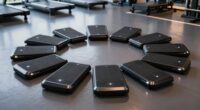
The best cycling computers balance clear ride data, reliable navigation, and simple controls without adding features you will not use. My best overall pick is the Wahoo ELEMNT BOLT V3 for riders who want a compact GPS unit with a focused feature set, while the Garmin Edge 840 stands out for training tools and flexible controls, and the Garmin Edge Explore 2 suits riders who put route guidance first. The main tradeoff is between low-fuss displays and basic ride tracking versus larger screens, richer navigation, and more involved setup. Battery life, sensor support, and touchscreen handling also separate computers that look similar on a spec sheet. Read on for the full breakdown and help matching a computer to your kind of riding.

Get sports gear delivered free — and shop member deals
- Fast, free delivery on millions of items
- Access to Prime Big Deal Days deals on October 6–7
- Prime Video, Amazon Music and more included
Complete the kit


Key Takeaways
- The Wahoo ELEMNT BOLT V3 is the strongest all-round fit for riders who want GPS navigation and ride data in a compact format rather than a large, feature-heavy unit.
- Garmin’s range divides by use: the Edge 1050 prioritizes a premium, expansive interface, while the Edge 540 and 550 keep a more compact profile for riders who do not need the 1050’s larger presentation.
- Navigation needs change the shortlist: the Edge Explore 2 and the iGPSPORT touchscreen models lean toward route guidance, while simple CatEye units focus on speed and distance rather than GPS mapping.
- Low-complexity options still have a place: the CatEye Urban Wireless and Padrone avoid GPS setup and charging, but give up route navigation and GPS-based ride features.
- Touchscreen and button controls suit different rides: touch can make map interaction feel direct, while physical buttons can be easier to operate with gloves or in wet conditions.
| CatEye Urban Wireless Bike Computer |  | Best for Simple, Battery-Free GPS-Free Tracking | Connectivity: Wireless | Speed data: Current, maximum, and average speed | Distance data: Total and trip distance | VIEW LATEST PRICE | See Our Full Breakdown |
| iGPSPORT BSC500 GPS Bike Computer with 3.3-Inch Touchscreen and Voice Navigation |  | Best for Screen-First Navigation | Screen: 3.3-inch touchscreen | Controls: Touchscreen and buttons | Data display: Up to 12 cycling data points per page | VIEW LATEST PRICE | See Our Full Breakdown |
| iGPSPORT BSC200S GPS Bike Computer with Route Navigation |  | Best for Long-Ride Value and Ride Data | Display: 2.4-inch semi-transparent, semi-reflective color screen | Battery: 600 mAh; up to 25 hours of use | Charging: USB Type-C; 1.5-hour charging time | VIEW LATEST PRICE | See Our Full Breakdown |
| iGPSPORT BSC300T Wireless GPS Bike Computer with Touchscreen and Offline Maps |  | Best for Offline Map Navigation | Screen: 2.4-inch touchscreen | Controls: Touchscreen and six buttons | Satellite systems: GPS, BeiDou, GLONASS, Galileo, and QZSS | VIEW LATEST PRICE | See Our Full Breakdown |
| Garmin Edge 1050 Premium Cycling Computer |  | Best Premium Training and Connected-Ride Computer | Screen: 3.5-inch LCD color touchscreen | Battery life: Up to 20 hours in demanding use; up to 60 hours in battery saver mode | Storage: 64 GB | VIEW LATEST PRICE | See Our Full Breakdown |
| CYCPLUS G1 Wireless GPS Bike Computer |  | Best Budget-Friendly GPS Computer | Display size: 2 inches | Weight: 70 g | Battery capacity: 1200 mAh | VIEW LATEST PRICE | See Our Full Breakdown |
| Wahoo ELEMNT BOLT V3 GPS Bike Computer, Black |  | Best for Turn-by-Turn Navigation and Smart Connectivity | Display size: 2.3 inches | Display type: LCD | Battery life: 20 hours | VIEW LATEST PRICE | See Our Full Breakdown |
| Garmin Edge 850, Compact GPS Cycling Computer |  | Best for Advanced Navigation and Performance Tracking | Screen size: 2.7 inches | Display type: LCD | Battery life: 12 hours (standard), 36 hours (power saver) | VIEW LATEST PRICE | See Our Full Breakdown |
| COOSPO CS600 Color Touchscreen GPS Bike Computer – Waterproof, Bluetooth/ANT+, Route Navigation, 36‑Hour Battery |  | Best for High-Resolution Touchscreen and Long Battery Life | Screen size: 2.4 inches | Display type: Color touchscreen with auto‑backlight | Battery life: 36 hours | VIEW LATEST PRICE | See Our Full Breakdown |
| Garmin Edge 840 GPS Cycling Computer |  | Best for Multi-Band GNSS and Adaptive Training | Screen size: 2.6 inches | Display type: LCD | Battery life: Up to 26 hours; 32 hours in battery saver | VIEW LATEST PRICE | See Our Full Breakdown |
| CATEYE Padrone Wireless Bike Computer – Oversized Display Cyclocomputer, Wireless Speedometer & Odometer, FlexTight™ Mount, Auto Start/Stop, Programmable Odometer |  | Best Simplicity and Readability | Display Size: 5.5 centimeters | Display Type: LCD | Battery Average Life: 1 year | VIEW LATEST PRICE | See Our Full Breakdown |
| Garmin Edge Explore 2 GPS Cycling Navigator |  | Best for Adventure and Navigation | Display: 3-inch high-resolution touchscreen | Navigation: Preloaded maps, POIs, eBike routing | GPS: Built-in | VIEW LATEST PRICE | See Our Full Breakdown |
| Garmin Edge 540, Compact GPS Cycling Computer | 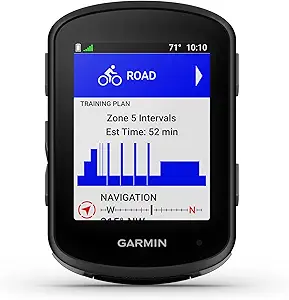 | Best for Performance and Advanced Metrics | Battery life: up to 26 hours (demanding), 42 hours (battery saver) | Navigation: Multi-band GNSS | Display: Ride-specific maps | VIEW LATEST PRICE | See Our Full Breakdown |
| Garmin Edge 550 Compact GPS Cycling Computer | | Best Balance of Features and Price | Screen size: 2.7 inches | Resolution: 420 x 600 | Display type: LCD | VIEW LATEST PRICE | See Our Full Breakdown |
| Wahoo ELEMNT ROAM V3 GPS Cycling Computer, Black |  | Best Route Sharing and Connectivity | Display size: 2.8 inches | Display type: LCD | Battery life: 25 hours | VIEW LATEST PRICE | See Our Full Breakdown |
| cycling computer | Connectivity | Battery life |
|---|---|---|
| CatEye Urban Wireless Bike Com | Wireless | — |
| iGPSPORT BSC500 GPS Bike Compu | — | — |
| iGPSPORT BSC200S GPS Bike Comp | Bluetooth and ANT+ | — |
| iGPSPORT BSC300T Wireless GPS | ANT+ and Bluetooth 5.0 | — |
| Garmin Edge 1050 Premium Cycli | Bluetooth, USB, and Wi-Fi | Up to 20 hours in demanding use; up to 60 hours in battery saver mode |
| CYCPLUS G1 Wireless GPS Bike C | Wireless | Over 55 hours (claimed), 50 hours (listed) |
| Wahoo ELEMNT BOLT V3 GPS Bike | Bluetooth, USB, Wi-Fi | 20 hours |
| Garmin Edge 850 | Bluetooth, USB, Wi-Fi | 12 hours (standard), 36 hours (power saver) |
| COOSPO CS600 Color Touchscreen | Bluetooth, ANT+, Wi-Fi via app | 36 hours |
| Garmin Edge 840 GPS Cycling Co | Bluetooth, USB, Wi-Fi | Up to 26 hours; 32 hours in battery saver |
| CATEYE Padrone Wireless Bike C | — | — |
| Garmin Edge Explore 2 GPS Cycl | — | — |
| Garmin Edge 540 | Bluetooth, Wi-Fi, USB | up to 26 hours (demanding), 42 hours (battery saver) |
| Garmin Edge 550 Compact GPS Cy | — | up to 36 hours in battery saver mode |
| Wahoo ELEMNT ROAM V3 GPS Cycli | Bluetooth, USB, Wi-Fi | 25 hours |
More Details on Our Top Picks
CatEye Urban Wireless Bike Computer
The CatEye Urban Wireless is the straightforward pick for riders who want useful ride records without GPS navigation, app setup, or a crowded screen. It tracks speed, distance, elapsed time, calories, pace, and clock time, while automatic stop detection keeps stationary breaks from dragging down elapsed-time and average-speed figures. Its FlexTight bracket is easy to adjust, and the manual odometer setting lets you restore accumulated mileage after a battery change. Compared with the GPS-equipped iGPSPORT BSC200S, this CatEye gives up route guidance, ride storage, and extensive metrics in exchange for a simpler, wireless setup. The main upkeep quirk is that preserving odometer mileage after a battery replacement takes a manual entry. Choose it for uncomplicated local rides, not for mapped routes or sensor-heavy training.
Pros:- Tracks speed, distance, elapsed time, calories, pace, and clock time
- Automatically pauses elapsed time and average-speed calculations when stopped
- FlexTight bracket makes mounting and adjustment simple
- Odometer can be reset manually after a battery change
Cons:- No GPS navigation or route guidance
- Odometer must be set manually after changing the battery
- Offers less ride data and connectivity than GPS models such as the iGPSPORT BSC200S
Best for: Casual commuters and recreational riders who want basic ride statistics without GPS, route planning, or app-based setup.
Not ideal for: Riders who need turn-by-turn navigation, ride uploads, extensive training metrics, or automatic mileage retention after battery changes.
- Connectivity:Wireless
- Speed data:Current, maximum, and average speed
- Distance data:Total and trip distance
- Other tracking:Elapsed time, calories, pace arrow, and clock
- Auto-stop:Pauses elapsed time and average-speed calculations when stopped
- Mount:FlexTight bracket
- Odometer:Can be set manually after battery replacement
Our verdict“Choose the CatEye Urban Wireless for simple ride tracking, but pick the iGPSPORT BSC200S if you want GPS routes and a broader training record.”
iGPSPORT BSC500 GPS Bike Computer with 3.3-Inch Touchscreen and Voice Navigation
The iGPSPORT BSC500 suits riders who want a large navigation display and a blend of touch and button controls. Its 3.3-inch screen can show up to 12 data points at once, while imported routes from Strava, Komoot, the iGPSPORT app, or route files add more flexibility than the simpler CatEye Urban Wireless. Speed-adaptive turn alerts, voice guidance, and automatic rerouting are useful when a ride changes course; dual-band, multi-satellite positioning and hill previews add navigation and training context. Against the iGPSPORT BSC300T, the BSC500’s larger screen and voice navigation are the clearer draw, while the BSC300T specifically lists offline maps and off-course warnings. The BSC500’s supplied details omit battery life and water resistance, so riders planning long or wet outings have less information to work with.
Pros:- Large 3.3-inch touchscreen paired with physical buttons
- Displays up to 12 cycling data points per page
- Supports route imports, voice navigation, and automatic rerouting
- Dual-band positioning uses five satellite systems
Cons:- Battery life and water resistance are not specified in the supplied product details
- Route planning and imports depend on compatible apps or route files
- Its listed feature set does not specify offline maps, unlike the iGPSPORT BSC300T
Best for: Route-focused road riders who want a large touchscreen, voice prompts, rerouting, and room for many data fields.
Not ideal for: Riders who prioritize documented battery endurance, specified water resistance, or offline maps and want those details confirmed before choosing.
- Screen:3.3-inch touchscreen
- Controls:Touchscreen and buttons
- Data display:Up to 12 cycling data points per page
- Positioning:Dual-band L1/L5; GPS, BeiDou, GLONASS, Galileo, and QZSS
- Route support:iGPSPORT app, Strava, Komoot, and route files
- Navigation:Speed-adaptive turn alerts, automatic rerouting, and voice navigation
- Additional features:Continue Last Ride, iClimb 2.0, and training analysis
- Package contents:Bike computer, rubber pad, two rubber bands, and user manual
Our verdict“Pick the BSC500 if a large screen and voice-led rerouting matter most, but favor the BSC300T if offline maps and off-course alerts are priorities.”
iGPSPORT BSC200S GPS Bike Computer with Route Navigation
The iGPSPORT BSC200S offers a practical middle ground: it adds route guidance and a deep set of ride metrics without moving to the larger, more screen-led BSC500. Its 2.4-inch color display is designed for sunlight visibility, and the listed battery life of up to 25 hours gives riders a useful endurance benchmark. Route navigation, Back to Start, and riding-record navigation help with unfamiliar roads or finding the way back, while more than 100 metrics and storage for up to 400 hours of rides support ongoing training records. Compared with the iGPSPORT BSC300T, the BSC200S specifies battery life and a 600 mAh battery; the BSC300T instead lists offline maps and more than 130 metrics. App reliance for some route features and limited notification support keep the BSC200S from being a fully self-contained navigation hub.
Pros:- Up to 25 hours of listed battery life
- Route navigation includes Back to Start and riding-record navigation
- Tracks more than 100 metrics and stores up to 400 hours of ride data
- IPX7 water resistance and USB Type-C charging
Cons:- Some route setup and features rely on the iGPSPORT app
- Notifications are limited to calls, SMS, and some apps
- The BSC300T lists offline maps and more than 130 metrics
Best for: Riders who want GPS route guidance, long listed battery life, and extensive ride metrics in a compact computer.
Not ideal for: Cyclists who require offline maps, advanced notification support, or a navigation setup that relies less on the companion app.
- Display:2.4-inch semi-transparent, semi-reflective color screen
- Battery:600 mAh; up to 25 hours of use
- Charging:USB Type-C; 1.5-hour charging time
- Connectivity:Bluetooth and ANT+
- Water resistance:IPX7
- Riding data:More than 100 metrics
- Data storage:Up to 400 hours of riding data
- Navigation:Route navigation, one-touch navigation, Back to Start, and riding-record navigation
- Compatible devices:iGPSPORT front lights and radar lights
Our verdict“Choose the BSC200S for specified long battery life and broad ride tracking, or the BSC300T if offline maps are more valuable to you.”
iGPSPORT BSC300T Wireless GPS Bike Computer with Touchscreen and Offline Maps
The iGPSPORT BSC300T is the navigation-focused choice for riders who want maps stored on the computer rather than relying only on route prompts. Its offline maps, route previews, turn prompts, and off-course warnings give it a distinct advantage over the BSC200S when a ride takes riders away from a familiar route. The 2.4-inch touchscreen is backed by six buttons, offering another way to control the unit while riding. Support for more than 130 metrics, ANT+, Bluetooth 5.0, sensors, and smart trainers makes it a stronger fit for data-minded riders than the simpler CatEye Urban Wireless. It also works with road bikes, mountain bikes, and e-bikes. The tradeoff is missing battery-life information in the supplied details; the BSC200S is easier to judge for long outings because its endurance is specified.
Pros:- Offline maps with route previews, turn prompts, and off-course warnings
- Tracks more than 130 riding metrics
- Supports GPS, BeiDou, GLONASS, Galileo, and QZSS
- Connects to speed, cadence, and heart-rate sensors and smart trainers
Cons:- Battery life is not specified in the supplied product details
- The 2.4-inch screen is smaller than the BSC500’s 3.3-inch display
- Some functions depend on compatible apps and connected sensors
Best for: Road, mountain, and e-bike riders who want offline maps, off-course alerts, and compatibility with training sensors.
Not ideal for: Riders who need a clearly specified battery runtime or want a larger display than 2.4 inches.
- Screen:2.4-inch touchscreen
- Controls:Touchscreen and six buttons
- Satellite systems:GPS, BeiDou, GLONASS, Galileo, and QZSS
- Riding data:More than 130 metrics
- Connectivity:ANT+ and Bluetooth 5.0
- App compatibility:iGPSPORT app, Strava, and Komoot
- Bike compatibility:Road bikes, mountain bikes, and e-bikes
- Navigation:Offline maps, route previews, turn prompts, and off-course warnings
- Sensor compatibility:Speed, cadence, and heart-rate sensors; smart trainers
Our verdict“Choose the BSC300T for offline maps and broad sensor support, but pick the BSC200S if a stated battery runtime matters more.”
Garmin Edge 1050 Premium Cycling Computer
The Garmin Edge 1050 is the premium pick for riders who want navigation, training tools, and connected ride features on a large display. Its 3.5-inch color touchscreen gives maps and ride data more space than the iGPSPORT BSC500’s 3.3-inch screen, while 64 GB of storage and a built-in speaker add capacity for navigation and audible prompts. Battery life is listed at up to 20 hours in demanding use or 60 hours in battery saver mode, making its endurance easier to plan around than the BSC300T’s unspecified runtime. Garmin Pay and the speaker-based bike bell add capabilities beyond basic tracking. This level of functionality comes with dependencies: some connected features need a compatible smartphone and Garmin Connect, and personalized training requires a compatible power meter and heart-rate monitor. Its listed map coverage is North America.
Pros:- Large 3.5-inch color touchscreen with capacitive touch control
- Up to 20 hours in demanding use and up to 60 hours in battery saver mode
- Built-in speaker supports prompts and a bike bell
- Includes 64 GB storage, Garmin Pay, navigation, and training features
Cons:- Some connected features require a compatible smartphone and Garmin Connect
- Personalized training features require a compatible power meter and heart-rate monitor
- Listed map coverage is North America
Best for: Dedicated cyclists who want a large navigation screen, detailed training tools, connected ride features, and long battery-saver runtime.
Not ideal for: Riders seeking a basic, low-complexity computer, those who need confirmed map coverage outside North America, or cyclists without the sensors required for personalized training features.
- Screen:3.5-inch LCD color touchscreen
- Battery life:Up to 20 hours in demanding use; up to 60 hours in battery saver mode
- Storage:64 GB
- Mount:Handlebar mount
- Connectivity:Bluetooth, USB, and Wi-Fi
- Satellite navigation:GPS, GLONASS, and Galileo
- Map coverage:North America
- Audio and connected features:Built-in speaker and Garmin Pay
Our verdict“Choose the Edge 1050 if you want Garmin’s broadest listed mix of screen space, training, and connected features, but skip it for basic ride tracking.”
CYCPLUS G1 Wireless GPS Bike Computer
The CYCPLUS G1 stands out for delivering core GPS route tracking and ride metrics at an accessible price point, making it a compelling choice for cyclists who want reliable data without a hefty investment. Compared to the Garmin Edge 850, it lacks advanced navigation features and detailed performance insights, but offers over 55 hours of battery life, a daylight-visible backlit display, and water resistance, which are often missing in cheaper models. The inconsistent battery life figures can be confusing, and the absence of user reviews makes its real-world performance uncertain. This model makes the most sense for casual riders or beginners who prioritize basic GPS tracking and long battery life over comprehensive training features.
Pros:- GPS tracks routes and displays multiple ride metrics
- Backlit screen is highly visible in sunlight
- IPX6 water resistance for durability outdoors
- Automatic sleep mode extends battery life
Cons:- Battery life figures are inconsistent between sources
- No customer reviews or ratings available for validation
Best for: Budget-conscious cyclists seeking reliable GPS data for casual rides or commuting.
Not ideal for: Serious cyclists or competitive racers who need detailed performance metrics and advanced navigation.
- Display size:2 inches
- Weight:70 g
- Battery capacity:1200 mAh
- Battery life:Over 55 hours (claimed), 50 hours (listed)
- Water resistance:IPX6
- Connectivity:Wireless
Our verdict“This GPS bike computer offers reliable basic tracking for casual riders but lacks advanced features for performance-focused cyclists.”
Wahoo ELEMNT BOLT V3 GPS Bike Computer, Black
The Wahoo ELEMNT BOLT V3 excels at navigation, offering turn-by-turn directions, route syncing, and on-demand route creation, making it ideal for riders who frequently explore new trails or routes. Its support for Bluetooth, ANT+, and Wi-Fi, along with smart notifications, sets it apart from simpler models like the CYCPLUS G1. However, this versatility comes with the drawback that many features, including notifications and live tracking, depend heavily on a connected smartphone, which might be limiting for minimalists. Conflicting display size and battery life details in the product info can also cause confusion. This pick is best for tech-savvy cyclists who want seamless route planning and connectivity but are okay with smartphone dependency.
Pros:- Turn-by-turn navigation with route syncing and creation
- Supports Bluetooth, ANT+, and Wi-Fi for versatile connectivity
- Smart notifications and live tracking enhance ride experience
- IPX7 water resistance for weather resilience
Cons:- Smart notifications require a paired smartphone
- Conflicting info on display size and battery life can be confusing
Best for: Cyclists who prioritize navigation, route planning, and smart features during their rides.
Not ideal for: Riders seeking a standalone device with long battery life and minimal smartphone reliance.
- Display size:2.3 inches
- Display type:LCD
- Battery life:20 hours
- Water resistance:IPX7
- Connectivity:Bluetooth, USB, Wi-Fi
- Weight:84 g
Our verdict“Best suited for tech-savvy explorers who value navigation and connectivity over standalone simplicity.”
Garmin Edge 850, Compact GPS Cycling Computer
The Garmin Edge 850 is designed for serious cyclists who want detailed performance insights and robust navigation. Its vivid 2.7-inch color touchscreen and preloaded maps cover diverse terrains, from road to trail, making it suitable for varied riding styles. The multi-band GNSS improves positioning accuracy, a key advantage over simpler units like the COOSPO CS600. The device’s long battery life—up to 36 hours in power saver mode—supports extended rides, but high-end features require compatible sensors and power meters, adding to overall cost. Compared to the Garmin Edge 840, it offers slightly less battery life but emphasizes advanced navigation. This model fits well for competitive riders or enthusiasts seeking detailed analytics and navigation in a compact package.
Pros:- Vivid color touchscreen with button controls
- Multi-band GNSS for accurate positioning
- Preloaded maps for multiple terrains
- Long battery life in power saver mode
Cons:- Some features require additional sensors and accessories
- Higher price point for casual users
Best for: Experienced cyclists seeking comprehensive performance data and reliable navigation for long, varied rides.
Not ideal for: Casual riders or beginners who don’t need advanced training metrics or multi-terrain maps.
- Screen size:2.7 inches
- Display type:LCD
- Battery life:12 hours (standard), 36 hours (power saver)
- Maps:Preloaded for North America
- Connectivity:Bluetooth, USB, Wi-Fi
- Supported sensors:Heart rate, cadence, speed
Our verdict“Ideal for seasoned cyclists requiring detailed analytics and dependable navigation in a compact device.”
COOSPO CS600 Color Touchscreen GPS Bike Computer – Waterproof, Bluetooth/ANT+, Route Navigation, 36‑Hour Battery
The COOSPO CS600 offers a high‑resolution 2.4-inch color touchscreen with auto backlight, making it easy to read in all lighting conditions. Its accurate GPS and GLONASS tracking, combined with built-in route navigation, make it a strong competitor for riders who want detailed metrics without the complexity of more expensive devices like the Garmin Edge 850. Its 36-hour battery life, quick USB‑C charging, and IPX7 waterproof rating support long, uninterrupted rides. However, it lacks sensors like heart rate or power, and most features depend on the companion app, which might limit standalone use. This device suits riders who want a feature-rich display and reliable navigation at a more affordable price point.
Pros:- High-resolution color touchscreen with auto backlight
- Accurate GPS and GLONASS with built-in navigation
- Extended 36-hour battery life with fast USB-C charging
- Waterproof and supports extensive connectivity
Cons:- Sensors for cadence, heart rate, and power are sold separately
- Full feature set relies on the companion app
Best for: Cyclists who need a colorful, easy-to-read display with navigation and long battery life without requiring onboard sensors.
Not ideal for: Competitive cyclists or those wanting integrated sensors like heart rate or power measurement.
- Screen size:2.4 inches
- Display type:Color touchscreen with auto‑backlight
- Battery life:36 hours
- Water resistance:IPX7
- Connectivity:Bluetooth, ANT+, Wi-Fi via app
- Supported sensors:Cadence, heart rate, power (sold separately)
Our verdict“Great for riders seeking a vibrant display and navigation with long-lasting battery life without onboard sensors.”
Garmin Edge 840 GPS Cycling Computer
The Garmin Edge 840 is tailored for riders who want advanced navigation and training tools in a compact package. Its multi-band GNSS ensures precise positioning, especially in challenging environments, while the 2.6-inch touchscreen and button controls support flexible operation. Features like adaptive coaching, ride insights, and performance metrics make it suitable for those focused on improvement and structured training. Its impressive 26-hour battery life in demanding use and 32 hours in battery saver mode support longer outings. However, many of the high-end features depend on compatible sensors, which can increase overall costs. Compared to the Garmin Edge 850, it emphasizes personalized training guidance, making it ideal for dedicated cyclists aiming to refine their skills.
Pros:- Multi-band GNSS provides highly accurate positioning
- Adaptive training and performance insights
- Touchscreen combined with button controls
- Up to 32 hours of battery life in battery saver mode
Cons:- Some training features require additional sensors
- Higher cost may be a barrier for casual cyclists
Best for: Enthusiast cyclists seeking advanced navigation and training insights in a compact device.
Not ideal for: Casual riders or those who prefer simple, straightforward data without training analytics.
- Screen size:2.6 inches
- Display type:LCD
- Battery life:Up to 26 hours; 32 hours in battery saver
- Map coverage:North America
- Connectivity:Bluetooth, USB, Wi-Fi
- Supported devices:Android, iPhone
Our verdict“This device is perfect for committed cyclists who want detailed navigation and personalized training guidance.”
CATEYE Padrone Wireless Bike Computer – Oversized Display Cyclocomputer, Wireless Speedometer & Odometer, FlexTight™ Mount, Auto Start/Stop, Programmable Odometer
The CATEYE Padrone Wireless stands out for its large, easy-to-read 5.5 cm LCD, making it ideal for riders who prioritize quick stats at a glance without the distraction of GPS or navigation. Compared with the Garmin Edge Explore 2, it offers a straightforward experience without touchscreen complexity, but it lacks GPS and advanced tracking features. Its wireless analog sensor ensures rapid, hassle-free pairing, and the tool-free FlexTight mount simplifies installation. This model is perfect for casual cyclists or commuters who want reliable ride data without the fuss of navigation. However, those seeking route guidance or detailed mapping should look elsewhere. The auto start/stop feature enhances accuracy, while the simple button interface is intuitive. The main tradeoff is the absence of GPS, limiting its use to basic ride metrics.
Pros:- Large, easy-to-read LCD display shows multiple stats at a glance.
- Wireless sensor with 70 cm range pairs instantly without fuss.
- Tool-free FlexTight mount allows quick setup and adjustments.
- Auto start/stop feature ensures accurate ride timing.
Cons:- No GPS or navigation features limit functionality for route planning.
- Analog wireless sensor may be less precise than digital alternatives.
Best for: Cyclists who need a clear, basic display for speed and distance without navigation.
Not ideal for: Riders who want GPS, route planning, or advanced tracking capabilities.
- Display Size:5.5 centimeters
- Display Type:LCD
- Battery Average Life:1 year
- Sensor Type:Analog Wireless
- Mounting Type:Handlebar Mount (FlexTight Bracket)
- Item Dimensions:2.66″ L x 1.69″ W x 0.57″ H
- Item Weight:1.12 ounces
- Color:Black
Our verdict“This pick suits casual riders seeking straightforward ride metrics without navigation or complexity.”
Garmin Edge Explore 2 GPS Cycling Navigator
The Garmin Edge Explore 2 makes a strong case for riders who want navigation without sacrificing durability, thanks to its glove- and rain-friendly 3-inch touchscreen. Compared to the Garmin Edge 540, it offers a simplified interface with essential navigation features, but without the advanced performance metrics and coaching. Its preloaded maps, search functions, and eBike routing provide versatility for various riding environments. This device is ideal for explorers, commuters, and those venturing into new terrain who need reliable, easy-to-access navigation on the fly. However, it does require pairing with sensors and a smartphone for full functionality, which adds some complexity. Its lack of integrated advanced performance metrics makes it less suitable for serious training.
Pros:- Glove- and rain-friendly touchscreen for easy use in all weather.
- Preloaded maps and searchable POIs for hassle-free navigation.
- Supports ride-specific profiles and eBike routing for versatility.
- Includes safety features like incident detection and LiveTrack.
Cons:- Connected safety features require pairing with a smartphone.
- Additional sensors and Varia devices are sold separately, increasing overall cost.
Best for: Cyclists seeking intuitive navigation and safety features for varied riding conditions.
Not ideal for: Performance-focused riders looking for detailed metrics or training insights without navigation focus.
- Display:3-inch high-resolution touchscreen
- Navigation:Preloaded maps, POIs, eBike routing
- GPS:Built-in
- Connectivity features:LiveTrack, incident detection
- Compatible accessories:Heart rate, sensors, Varia devices (sold separately)
- Use in bad weather:Yes, rain and glove-friendly
Our verdict“This navigation-centric device is perfect for explorers and commuters who prioritize ease of use and safety features.”
Garmin Edge 540, Compact GPS Cycling Computer
The Garmin Edge 540 is designed for serious cyclists who want detailed performance data and advanced navigation in a compact package. Its multi-band GNSS technology ensures precise positioning, even in dense forests or urban canyons, outperforming models like the Edge 550 in accuracy. It offers extensive features such as climb planning, stamina insights, and personalized coaching, making it ideal for competitive training. Compared to the Edge 550, it has a more robust feature set but at a higher price point, which may be a consideration for casual riders. The battery life is impressive for demanding rides, but navigating its layered menus may take some learning. This device is best for experienced cyclists who want deep analytics and reliable navigation. For less technical riders, the complexity might be overwhelming, and some features require compatible sensors.
Pros:- Multi-band GNSS provides highly accurate positioning.
- Long battery life supports extended rides and training sessions.
- Personalized coaching and climb planning enhance training.
- Ride-specific maps with points of interest.
Cons:- Complex features may involve a steep learning curve.
- Higher price may be prohibitive for casual users.
- Requires compatible sensors for full feature set.
Best for: Performance-oriented cyclists seeking detailed analytics and reliable navigation in a compact device.
Not ideal for: Casual riders or newcomers who prefer simpler interfaces and basic data.
- Battery life:up to 26 hours (demanding), 42 hours (battery saver)
- Navigation:Multi-band GNSS
- Display:Ride-specific maps
- Features:ClimbPro, stamina, coaching
- Size:Compact
- Connectivity:Bluetooth, Wi-Fi, USB
Our verdict“This is a top choice for serious cyclists who need precise navigation and in-depth performance data.”
Garmin Edge 550 Compact GPS Cycling Computer
The Garmin Edge 550 offers a compelling blend of usability, performance tracking, and navigation without the premium price of the Edge 540. Its 2.7-inch color display is clear and easy to operate via buttons, making it suitable for riders who prefer physical controls. Preloaded maps for road, gravel, and trail rides provide versatility, and the device’s battery life of up to 36 hours in battery saver mode covers most long-distance rides. While it includes smart features like incident detection and LiveTrack, some advanced metrics and coaching require additional sensors and smart devices. Compared to the Edge Explore 2, it offers more detailed performance tracking but lacks touchscreen convenience. This model works best for riders who want a mid-range device with reliable navigation and basic training tools. Casual riders or those needing extensive mapping features should consider other options.
Pros:- Preloaded maps for multiple terrains including trail and gravel.
- Long battery life with up to 36 hours in battery saver mode.
- Includes incident detection and LiveTrack for safety.
- Button controls are reliable and easy to use in all conditions.
Cons:- No touchscreen, which may slow navigation for some users.
- Full feature set depends on pairing with sensors and smartphones.
- Limited advanced coaching compared to higher-end Garmin models.
Best for: Enthusiast cyclists who want a balanced device with good navigation and training features at a reasonable price.
Not ideal for: Beginners or casual riders who prefer simple displays and minimal setup.
- Screen size:2.7 inches
- Resolution:420 x 600
- Display type:LCD
- Battery life:up to 36 hours in battery saver mode
- Supported satellite systems:GPS, GLONASS, Galileo
- Input method:Buttons
Our verdict“This device balances affordability and functionality, ideal for committed riders seeking reliable navigation and basic analytics.”
Wahoo ELEMNT ROAM V3 GPS Cycling Computer, Black
The Wahoo ELEMNT ROAM V3 excels at route sharing, dual-band GPS accuracy, and long-lasting battery life, making it a favorite for riders who frequently navigate imported routes or ride with friends. Its 2.8-inch LCD display with both buttons and touchscreen controls offers flexible operation, and route sharing with nearby ELEMNT devices simplifies group riding. Compared with the Garmin Edge 550, it provides more seamless route management and better connectivity options, but it might lack some of Garmin’s detailed analytics. Its dual-band GPS technology improves positioning in dense urban or forested areas, and the 25-hour battery life supports lengthy rides. The inconsistency in product naming (V2 vs. V3) can cause confusion, and sensor inclusions are unclear, which could add additional costs. This device is ideal for tech-savvy riders who prioritize navigation, route sharing, and connectivity in a durable package.
Pros:- Dual-band GPS for high accuracy in challenging environments.
- Turn-by-turn navigation with imported routes and device destinations.
- Route sharing capability with nearby ELEMNT devices.
- Long-lasting 25-hour battery supports extended adventures.
Cons:- Inconsistent product naming can lead to confusion.
- Unclear whether sensors are included, potentially increasing cost.
- Some features depend on companion app and device pairing.
Best for: Group riders and route sharers who value reliable navigation and long battery life.
Not ideal for: Casual cyclists or those new to GPS devices who prefer simpler, all-in-one solutions.
- Display size:2.8 inches
- Display type:LCD
- Battery life:25 hours
- Connectivity:Bluetooth, USB, Wi-Fi
- Supported satellite systems:GPS, GLONASS, BeiDou, Galileo
- Controls:Buttons, touchscreen
Our verdict“This GPS cycling computer suits riders who need precise navigation, route sharing, and long endurance for group rides or long outings.”
How We Picked
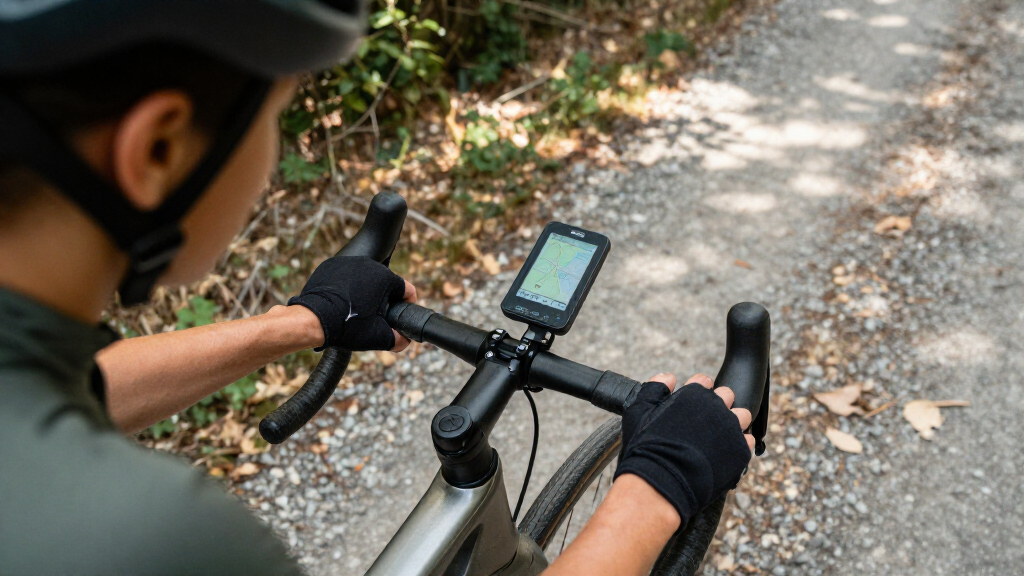
I compared these computers around the decisions that shape day-to-day use: whether they provide GPS, how they handle route guidance, how readable and manageable the display is, and whether they support add-on sensors through Bluetooth or ANT+. I also weighed battery claims where supplied, water resistance, control style, and the setup burden that comes with advanced features. A cycling computer should be useful on the bike, not just impressive on a feature list.
The ranking favors models that make a convincing case for a broad range of riders, then gives specialized picks credit for doing one job well. The Wahoo ELEMNT BOLT V3 leads for its compact, all-round positioning; Garmin’s Edge 840 and 1050 rank highly for riders seeking deeper training or premium navigation features. Simpler CatEye units and entry-oriented GPS computers appear lower because they suit narrower needs, not because every rider needs a more advanced device. I treat advertised features as buying distinctions and avoid assuming that every rider will benefit from them.
Factors to Consider When Choosing Best Cycling Computers
Before choosing from this lineup, decide what you expect the computer to do on a typical ride. The right choice depends less on the longest feature list than on your routes, how much ride data you use, and whether you want to manage another rechargeable device.
GPS Navigation or Simple Ride Tracking?
Start with the job you need the screen to do. If you ride unfamiliar roads, follow planned routes, or want help getting back on course, GPS navigation and map handling matter more than a long list of data fields. For familiar commutes and straightforward training loops, a basic speed-and-distance computer may be easier to maintain and read at a glance. A common mistake is buying a map-capable device for occasional rides, then leaving its navigation features unused. The reverse mistake is expecting a simple wireless unit to guide a detour or display a route. Match the device to your most frequent ride, not the most ambitious ride you might take once.
Choose Controls for Your Conditions
Touchscreens make map panning and menu selection feel direct, but screen response can be less convenient with gloves, rain, or a bumpy surface. Physical buttons give a more deliberate way to change screens while riding, though they can make map interaction less fluid. Consider your local weather, glove habits, and how often you adjust the display mid-ride. Do not assume a touchscreen is automatically easier or that buttons are old-fashioned; the better choice depends on the tasks you perform on the bike. If you mostly start a ride and follow a route, control style may matter less than screen readability. If you regularly change data pages, it can shape your daily experience.
Pay for Training Features Only If You Will Use Them
Advanced training metrics and sensor connections are useful when you already track structured workouts or plan to add heart-rate, cadence, or power sensors. They can help keep several data sources together on one display, but they also add setup and menu complexity. Riders who only want speed, distance, and a route line may gain little from paying extra for training depth. Check compatibility with the sensors you own before buying, including whether they use Bluetooth, ANT+, or both. Another frequent oversight is buying around a future sensor purchase that never happens. If training is not part of your regular riding, put readability and navigation ahead of metrics.
Treat Battery Life as a Route-Planning Factor
Battery life matters most when your rides are long, your screen stays bright, or navigation runs continuously. Compare manufacturers’ stated runtimes as a guide, but remember that settings, connected sensors, and temperature can affect real use. A short-ride commuter may prefer a small computer that is easy to charge, while a touring rider should leave a comfortable reserve for reroutes and delays. Do not judge battery solely by the longest advertised figure; think about how often you are willing to charge and whether you can recharge during a trip. A computer that reaches the end of your usual ride with little reserve can turn a navigation aid into a source of uncertainty.
Check Screen Size Against Mount and Cockpit Space
A larger display can make maps and data fields easier to read, especially for riders who glance down briefly rather than study the screen. It also takes up more handlebar space and can feel oversized on a compact cockpit. Smaller units keep the setup tidy but may require simpler data layouts or more deliberate reading. Check the mounting arrangement and available room alongside your light, phone, or other accessories. Do not choose by screen size alone: contrast, layout, and the information shown at once affect readability too. The best fit is the screen you can read without crowding controls or distracting yourself from the road.
Factor in Setup, Charging, and Ongoing Upkeep
GPS computers need charging and may require app pairing, firmware updates, route transfers, and sensor setup. That effort can pay off in navigation and richer ride records, but it is part of ownership rather than a one-time task. A basic wireless computer avoids many of those steps, making it appealing for riders who want speed and distance without phone or account dependence. Before choosing, consider how you plan routes and whether you are comfortable configuring a device through an app. Check that the mount suits your bike and that replacement mounts or sensors will be practical for your setup. Buying a simpler unit is not a compromise if its limits match your riding.
Frequently Asked Questions
Is a GPS cycling computer worth it if I mostly ride familiar roads?
It can be, but the value depends on whether you want more than turn-by-turn guidance. GPS models record routes and can show pace, elevation, and other ride data, while a basic CatEye-style computer covers core speed and distance readings with less setup. If you rarely change routes and do not review ride records, the simpler option may suit you better. If you want to follow workouts, save rides, or occasionally explore, GPS offers more room to grow. Decide based on the features you expect to use weekly, not on the possibility of using every function someday.
Should I choose a touchscreen or a button-operated cycling computer?
Choose based on when and how you interact with the device. Touchscreens can make map browsing and menu selection feel intuitive, while buttons offer tactile control that may be easier with gloves or in wet weather. If you mainly follow a route without changing screens, either approach can work well. Think about your typical conditions and whether you adjust data pages while riding. It is also sensible to check the screen layout and button placement, since control style alone does not determine ease of use.
Do I need Bluetooth or ANT+ sensor support?
You need sensor support only if you plan to pair devices such as a heart-rate monitor, cadence sensor, or power meter. Check the protocol used by your existing gear before buying; Bluetooth and ANT+ are not interchangeable in every setup. Dual-protocol support can give you more flexibility if you add or replace sensors later. If your needs are limited to speed, distance, and navigation, paying for broader sensor connectivity may not change your rides. Make a list of the sensors you own or expect to buy, then compare that list against the computer’s stated compatibility.
How much battery reserve should I plan for on a long ride?
Plan for your longest likely ride plus time for stops, route changes, and delays rather than relying on a listed maximum runtime. Navigation, screen brightness, connected sensors, and cold weather can all affect battery use. If you tour or ride remote routes, choose a computer with enough stated runtime to leave a meaningful buffer. For shorter regular rides, charging between outings may be perfectly manageable. A small power bank can help on trips, but it is better to treat that as backup than as a substitute for suitable battery capacity.
Can a basic wireless computer replace a GPS model for commuting?
For a fixed, familiar commute, a basic wireless computer can provide the speed and distance readings many riders want with fewer charging and setup tasks. It will not give you route mapping or the same GPS-based ride records, so it is less useful when a detour or unfamiliar trip is likely. Think about whether you need navigation during the commute or simply want quick ride stats. If your route changes often, a GPS model may justify its added complexity. If the route stays consistent and the essentials are enough, a simple unit can be a sensible fit.
Conclusion
For most riders seeking one capable device, I recommend the Wahoo ELEMNT BOLT V3 as the best overall choice for its compact, all-round approach. The best value depends on how much navigation you need: choose the iGPSPORT BSC200S for GPS route guidance without moving into the most feature-heavy tier, or a CatEye computer if speed and distance are all you need. Riders after a premium experience should look at the Garmin Edge 1050, while the Garmin Edge 840 is a strong fit for training-focused riders who want flexibility. For beginners, the CatEye Urban Wireless or Padrone keeps setup simple; for route-first riding, consider the Garmin Edge Explore 2 or a touchscreen iGPSPORT model. Choose the computer that fits your regular rides and cockpit, rather than paying for features that will stay unused.
Fall Picks
fall essentials
As an affiliate, we earn on qualifying purchases.